UI Builder, Data Resources are a core concept used to retrieve and manage data for custom pages and components in a workspace or portal.
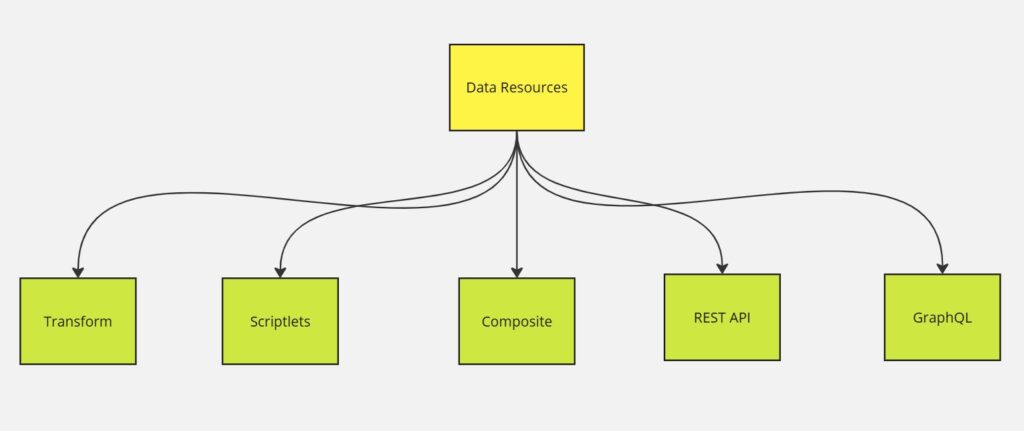
Transform runs any ServiceNow server-side JavaScript. If you already have a library of script includes for your app you can use this type of data resource to consume that library.
Properties:
[
  {
      "name": "application_id",
      "label": "Application Id",
      "description": "ACE Application Id",
      "readOnly": false,
      "fieldType": "string",
      "mandatory": true,
      "defaultValue": ""
  },
{
      "name": "page_route",
      "label": "Page Route",
      "description": "ACE configured page route",
      "readOnly": false,
      "fieldType": "string",
      "mandatory": true,
      "defaultValue": ""
  }
]
Script:
function transform(input) {
return response
}
Scriptlet runs sandboxed, vanilla, client-side JavaScript. It is primarily used for transforming the output from one of the data resources above into something usable by your components. The scriptlet is more preferable than a transform because the scriptlet loads and runs faster due to not loading any external APIs.
Composite data resources are a combination of other data resources chained together. Using a composite instead of being the outputs of one DR to another allows us to optimize the performance. It’s especially useful for GraphQL+Scriptlet combinations.
REST lets you execute a REST request against a ServiceNow REST endpoint. You’ll need to specify an endpoint, query params, and a request body.
GraphQL lets you write and/or use a GraphQL query against a ServiceNow GraphQL API. If you’re building one of these you’ll need to specify the query body, but that’s about it.
Controllers are new in Tokyo and, when combined with preset-enabled components, can be automatically added to a page when the component is added. For now, this is only usable by ServiceNow’s internal engineering teams.